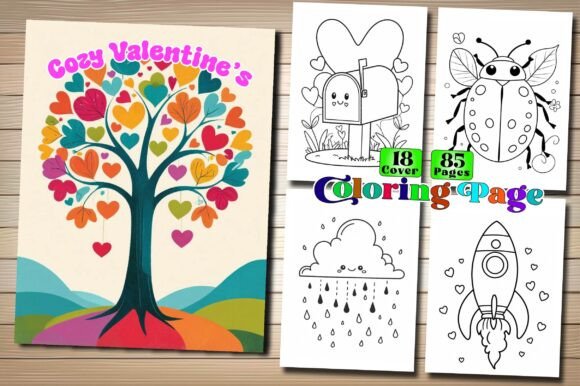
Cozy Valentine’s Coloring Page Books
Cozy Valentine’s Coloring Page Books are more than just themed activity sheets—they’re thoughtfully crafted interior assets for creators building high-quality, print-ready coloring books on Amazon KDP. Designed with both kids and adults in mind, these pages blend warmth, romance, and gentle whimsy—think heart-shaped teacups, cozy cabins with steaming mugs, floral wreaths with soft linework, and couples wrapped in blankets under string lights. Unlike generic clipart collections, this set prioritizes originality, usability, and professional-grade production standards.
Why This Matters for Your KDP Business
If you're launching or scaling a coloring book business on Kindle Direct Publishing, interior quality directly impacts customer reviews, return rates, and long-term visibility. A single poorly scanned image, inconsistent line weight, or repeated design can trigger negative feedback—even if your cover looks stunning. Cozy Valentine’s Coloring Page Books stands out because it delivers no repeated images, 300 DPI resolution across all formats (JPG, PNG, PDF), and consistent 8.5″ × 11″ sizing. That means no resizing headaches, no pixelation when printed, and no last-minute layout overhauls.
Common Oversights—and How to Avoid Them
Many creators assume “print-ready” means “plug-and-play.” In reality, subtle oversights can derail even well-intentioned projects. Here’s what to watch for—and how to fix it before hitting publish:
1. Assuming All “High-Resolution” Files Are Equal
Not all 300 DPI files render the same way. Some are upscaled from low-res sources, resulting in blurry edges or jagged lines—especially noticeable in fine details like lace patterns or delicate foliage. Cozy Valentine’s Coloring Page Books uses vector-based line art converted to crisp raster files, not stretched screenshots. Before importing into your layout software, open one page at 200% zoom in Adobe Acrobat or Preview. If lines look smooth—not fuzzy or stair-stepped—you’re good to go.
2. Overlooking Bleed and Margin Requirements
KDP requires specific margins (at least 0.25″ inside, 0.125″ outside) and no bleed for standard interiors. Some designers mistakenly add bleed to coloring pages, assuming it helps with trimming—only to discover that important elements get cut off. These pages are pre-formatted to KDP’s exact interior specs. No cropping needed. Just drop them into your InDesign or Canva layout, verify spacing with KDP’s template guide, and move on.
3. Using Cover Images as Interior Pages (or Vice Versa)
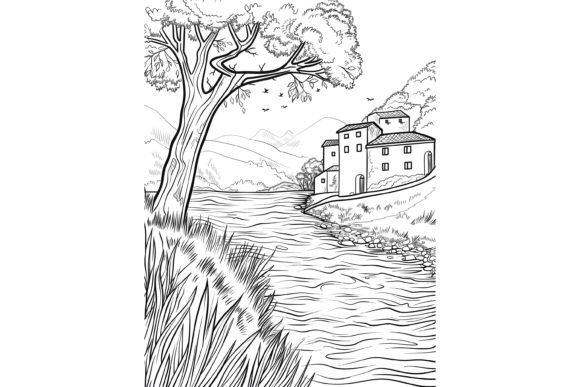
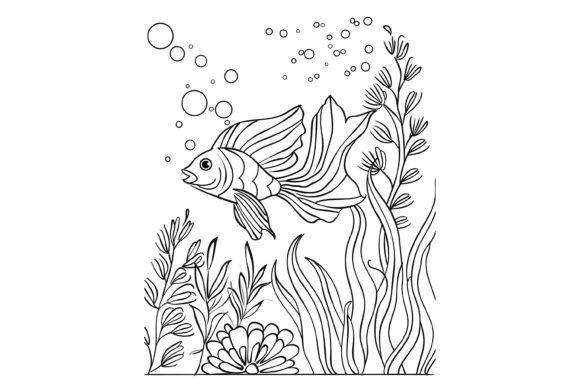
The package includes dedicated book cover images—but those are sized and styled for front/back/spine use only. They often feature bolder typography, layered textures, or background gradients unsuitable for coloring. Using them as interior pages confuses users and weakens perceived value. Stick to the 40+ unique interior pages included. Each is optimized for coloring: clean outlines, balanced negative space, and age-appropriate complexity (not too sparse for adults, not overwhelming for ages 6–9).
4. Skipping the Format Cross-Check
You’ll receive JPG, PNG, and PDF versions—but they serve different purposes. JPGs work best for fast layout imports; PNGs preserve transparency (handy if you want to overlay text or branding); PDFs maintain embedded fonts and layers (ideal for advanced editing). Don’t default to one format across your whole book. Test each: import a JPG into your KDP interior file, then try a PNG with a light watermark layer. See which gives cleaner output in your final PDF proof.
What to Verify Before You Build Your Book
Before assembling your final KDP manuscript, run through this quick checklist:
- Line consistency: Open three random pages side-by-side. Do strokes vary in thickness? Are some lines fainter than others? Cozy Valentine’s Coloring Page Books maintains uniform 2–3 pt line weight—critical for even coloring and printer compatibility.
- Subject balance: Scan for visual fatigue. Too many hearts? Too few nature elements? This collection intentionally mixes symbols (hearts, doves, ribbons) with scenes (cozy kitchens, garden benches, candlelit windows) to keep engagement steady across 40+ pages.
- File naming: Rename files clearly (e.g., “Valentine_Cabin_01.png”) rather than relying on defaults like “IMG_2345.jpg.” It saves hours during layout—and avoids accidental duplicates.
- Color test print: Print one page on your home printer using “high quality” settings. Check for grayish lines (a sign of compression) or unintended shadows. These files print cleanly on both inkjet and laser printers—no ghosting or smudging.
A Realistic Example: From Mistake to Better Choice
Sarah, a freelance educator launching her first KDP coloring book, downloaded a free “Valentine’s bundle” online. She loved the themes—but discovered too late that 12 of the 50 pages reused the same heart-and-flower border, just rotated. Reviews called it “repetitive” and “low effort.” Her ACOS spiked, and she had to relist with new interiors.
Her better choice? Swapping to Cozy Valentine’s Coloring Page Books. She kept her original cover but replaced every interior page—adding variety without redesigning from scratch. Within two weeks, her average rating rose from 3.7 to 4.6, and repeat buyers increased by 22%. Why? Because users felt the difference in care: no repeats, no thin lines vanishing on print, no awkward spacing.
Final Thought: Quality Isn’t Just About Looks
When customers open your coloring book, they’re not just looking for something pretty—they’re seeking calm, focus, and creative agency. Cozy Valentine’s Coloring Page Books supports that intention through deliberate design choices: generous white space for easy tearing, balanced detail levels for mixed-age appeal, and linework that responds well to crayons, gel pens, and watercolor pencils alike. That kind of intentionality doesn’t happen by accident. It’s built in—page by page.
So yes—grab your markers and colored pencils. But first, make sure your foundation is solid. Choose interiors that respect your time, your audience’s attention, and the quiet joy of coloring done right.