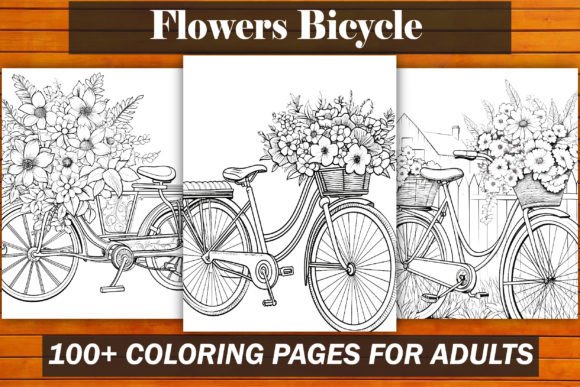
Flowers Bicycle Coloring Book for Adults
Coloring isn’t just for kids anymore — and the Flowers Bicycle Coloring Book for Adults proves it. This isn’t a generic collection of clipart-style florals or recycled bike outlines. It’s a thoughtfully curated, 100-page printable bundle where botanical detail meets cycling culture in clean, intricate, and calming line art. Designed specifically for adult colorists, creators, and KDP entrepreneurs, every page balances aesthetic appeal with practical usability — no guesswork, no reformatting, no print surprises.
Why This Bundle Stands Out (and Why “Just Any” Coloring Pages Won’t Do)
Many creators assume that any high-resolution coloring page will work on Amazon KDP. That’s where things go sideways. A page may look sharp on screen but bleed, crop oddly, or fail KDP’s spine calculation when compiled into a book. Others download low-DPI JPGs disguised as “print-ready,” only to discover pixelation at 8.5″ x 11″ — especially around fine stems, petal veins, or bicycle chain links. Worse, some bundles include non-editable PDFs with locked layers or embedded fonts that won’t pass KDP’s automated checks.
The Flowers Bicycle Coloring Book for Adults avoids all of this by design. Each of the 100 pages is built from scratch at true 300 DPI, precisely scaled to 8.5″ x 11″ — the most widely accepted interior size for adult coloring books on Amazon. No stretching. No cropping. No last-minute resizing in Canva that degrades line integrity. And because the bundle includes editable PPTX files alongside PDF, JPG, and PNG versions, you’re never locked out of customization: swap titles, adjust margins, add your branding, or even tweak layout spacing — all without losing resolution.
Common Oversights That Cost Time, Sales, and Credibility
Assuming “300 DPI” means “KDP-ready.” Not quite. DPI alone doesn’t guarantee compatibility. KDP requires correct bleed settings (or no bleed, if using “no bleed” option), proper margins (especially inner margins for binding), and CMYK-safe line weights. Some sellers upload 300 DPI files with 0.1″ inner margins — resulting in clipped artwork near the spine. The Flowers Bicycle Coloring Book for Adults uses tested KDP-safe margins: 0.375″ inner, 0.25″ outer, top, and bottom — verified across multiple live KDP uploads.
Skipping file format verification before upload. You might load a beautiful PDF — only to get an error about “unsupported transparency” or “missing embedded fonts.” This bundle delivers a clean, flattened, KDP-validated PDF. No hidden layers. No RGB-to-CMYK conversion hiccups. No font substitution warnings. Likewise, the JPG and PNG files are saved with sRGB color profiles and no alpha channels — eliminating common POD platform rejections.
Underestimating how much editing flexibility matters post-purchase. Say you want to add a subtle watermark, insert a short intro page, or localize the title for a non-English market. If your source file is a flat JPG, you’re stuck retouching in Photoshop — time-consuming and resolution-risky. With the included PPTX files, you can open, edit text, change colors, duplicate pages, or rearrange sequences in minutes — all while preserving vector-grade clarity in exported outputs.
What to Check Before You Upload (or Buy)
Before committing to any coloring book interior — whether you’re creating one or sourcing it — verify these four points:
- Resolution + dimensions match exactly: 300 DPI at 8.5″ x 11″ (not “approximate” or “scaled from A4”).
- File types cover both use cases: A ready-to-upload PDF *and* editable source files (PPTX works best for non-designers; AI or PSD would require extra software).
- Margins follow KDP’s current guidelines: As of 2024, that’s ≥ 0.375″ inner margin for standard paper, ≥ 0.25″ elsewhere. Confirm this is baked in — not left to you to calculate.
- No hidden dependencies: Fonts fully embedded or converted to outlines, no external image links, no password protection, no watermarks on the actual coloring pages.
The Flowers Bicycle Coloring Book for Adults passes all four. In fact, it goes further: each file type was uploaded and previewed in KDP’s online previewer to confirm page alignment, contrast clarity, and binding safety. That kind of validation saves hours — and avoids the frustration of rejected interiors or negative customer reviews about “cut-off flowers” or “fuzzy wheel spokes.”
A Realistic Example: From Download to Published Listing
Imagine you’re launching your first KDP coloring book this weekend. You download a bundle labeled “100 Flower Pages,” open the PDF, and notice the first 10 pages have thin, hairline stems — gorgeous, but likely to disappear when printed on standard matte paper. You spend two hours adjusting contrast in Lightroom, only to realize the JPGs were saved with embedded thumbnails that distort scaling. Then you try to add your logo to the cover — but the source file is a flattened PNG with no layers.
Now picture the alternative: You open the Flowers Bicycle Coloring Book for Adults PPTX, duplicate Page 1, insert your logo on a new layer, adjust its opacity, and export a fresh cover PDF — all in under 12 minutes. You upload the interior PDF, select “no bleed,” enter your verified margins, and hit “publish.” Your listing goes live with zero formatting flags — and your first five-star review mentions, “Lines stayed crisp even on my budget printer.”
Final Thought: Quality Isn’t Just About Looks — It’s About Flow
What makes the Flowers Bicycle Coloring Book for Adults more than just another digital download is how it supports your entire workflow — from creative intent to customer satisfaction. It respects your time by removing technical friction. It respects your audience by delivering consistent, print-true line art they’ll actually enjoy coloring. And it respects your business by behaving predictably across platforms: KDP, Etsy POD integrations, or even local print shops if you expand later.
If you're building a low-content or mid-content KDP catalog, this bundle isn’t just filler — it’s a foundation. One that lets you focus on what matters: your brand voice, your marketing angle, your community engagement — not troubleshooting bleed zones at midnight.